
The 5 Stages of AI Fluency: Where Is Your Church Team Today?
Nov 20, 2026
You may already use AI on your own. The next step is helping your whole church team use it in daily ministry work.
The Pushpay and Barna 2026 State of Church Technology report found that "60% of church leaders personally use AI at least once a month." It also found that "only 33% report that their church is using it for ministry operations."
AI fluency is how well a person understands AI and uses it in real work. It grows in 5 stages. When you know your team's stage, you know what to work on next.
Key terms to know
AI fluency. AI fluency means you know the basic AI terms and can use AI tools well in your daily work.
Prompt. A prompt is the request or instructions you give an AI tool.
Context. Context is the background information you give AI about your church, like your mission and the way you write.
Connector. A connector links an AI tool to another app, like Gmail or Google Drive, with your permission.
Workflow. A workflow is a set of steps your team repeats, like building the weekly newsletter.
Automation. Automation means a tool runs some steps of a workflow for you each time it repeats.
What are the 5 stages of AI fluency?
Each stage builds on the one before it.
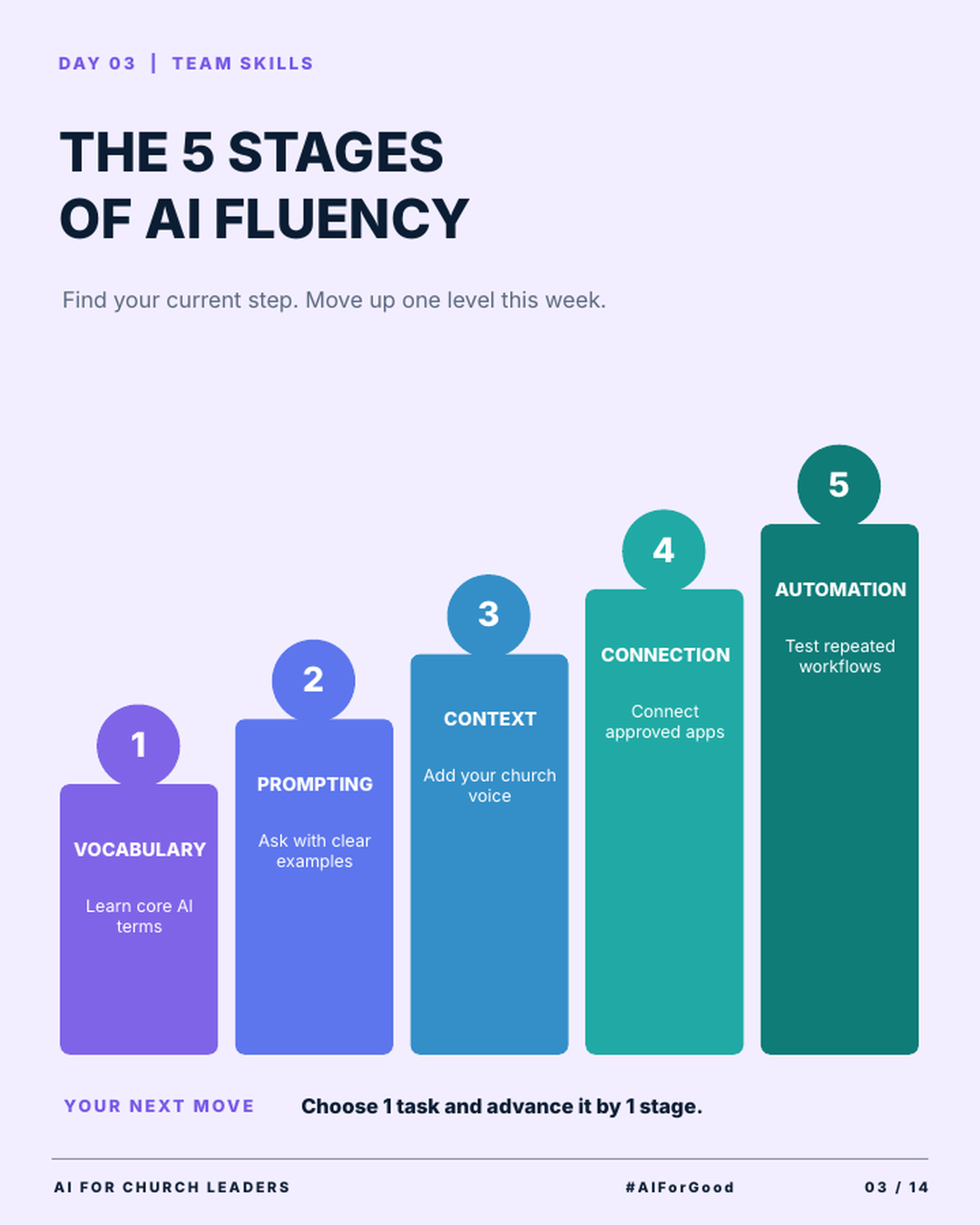
Stage 1: Vocabulary. Learn core AI terms. Your team needs shared words before it can talk about AI with confidence. A good place to begin is this glossary of 25 AI terms for church leaders.
Stage 2: Prompting. Ask with clear examples. Tell AI what you want and who it is for. Then show it a sample of a good result, like a past email you liked.
Stage 3: Context. Add your church voice. Give AI your mission statement, a writing style guide or approved past messages. The drafts start to sound like your church.
Stage 4: Connection. Connect approved apps. Connectors let AI use real information from tools like Google Drive. Connect only the accounts your leaders have approved.
Stage 5: Automation. Test repeated workflows. Pick a task your team does every week and set up AI to handle part of it. Test it several times and keep a person checking every result.
How do you find your team's current stage?
Look at what your team does with AI today. These signs can help.
Your team is at stage 1 if people are still unsure what words like "prompt" and "connector" mean.
You are at stage 2 if staff ask AI for help and the answers come back generic.
You reach stage 3 when AI drafts sound like your church with light editing.
Stage 4 means AI can use information from your approved apps.
Stage 5 means a repeated task runs with AI help, and a person reviews the result.
A stage can describe a single task too. Your weekly email might be at stage 3. Your board report might still be at stage 1. Each staff member can also be at a different stage.
How do you take one task up one stage?
The infographic gives a simple rule: choose one task and advance it by one stage. Small steps keep the work doable for a busy staff.
Here is what each step can look like.
From stage 1 to stage 2, write your first full prompt for the task. Say what you want and show an example.
From stage 2 to stage 3, add your church voice. Paste in your style guide or a past message you liked.
From stage 3 to stage 4, connect an approved app so AI can use your real documents.
From stage 4 to stage 5, test the workflow on several weeks of real work before your team depends on it.
Check your AI policy before stage 4. Connecting apps gives AI access to church information. If your church needs a policy, start with this free framework to write a church AI policy.
Pick one task this week and take it up one stage. Repeat that each week, and your team's AI fluency grows one step at a time.
Try this this week
Use the 5 stages to plan one step forward for your team.
How to plan your team's next AI fluency stage
- List 5 tasks your team does every week, like announcements, volunteer emails or meeting notes.
- Mark the stage each task is at today.
- Choose one task.
- Do the work for the next stage. For example, add a sample of your church's writing to the prompt.
- Share what you learned at your next staff meeting.
Join AIforChurchLeaders.com to access the training library and courses that help you level up your AI skills and fluency for ministry.
Frequently asked questions
What does AI fluency mean for church staff?
AI fluency is how well your staff understands AI and uses it in real ministry work. It grows in stages, from learning basic terms to testing repeated workflows. Your team learns each stage by using AI on real tasks.
Which stage of AI fluency should our church team start with?
Start at stage 1 with anyone new to AI. Shared words help your team talk about AI clearly. Staff who already use AI can begin at the stage that matches their work today.
How long does it take a church team to become fluent in AI?
There is no set timeline. It depends on how often your team uses AI and how much time you give it. Taking one task up one stage each week is a steady pace you can keep.
Should our church automate tasks with AI right away?
Automation works best after your team is comfortable with prompting, context and connections. Work through the earlier stages first. When you test automation, keep a person reviewing every result.
Do all staff need to be at the same stage?
No. Each person can be at a different stage, and so can each task. Use the 5 stages to plan training for each person on your team.