
What Are AI Connectors? How Church Staff Can Link ChatGPT and Claude to Gmail and Google Drive
Nov 18, 2026
Right now, you probably give your AI tool information by hand. You copy an email, paste in a document or retype your notes before you can ask for help. That takes time every day.
A connector links your AI tool to an app you already use, like Gmail or Google Drive. With your permission, the AI can search and read what is inside that app.
This guide explains what connectors are, what they can do for church staff and how to set them up with care.
What is an AI connector?
A connector gives AI permission-based access to your apps and files. You pick the app and sign in. After that, the AI can use information from that app when you ask it to.
ChatGPT and Claude use different names for this. ChatGPT calls the feature "connected apps." OpenAI names Gmail, Google Drive, Notion and Canva among them in its help article on connected apps.
Claude calls them "connectors." Anthropic's help article on connectors names Google Drive and Gmail. Its Claude tutorial on connecting your tools lists Notion and Canva too.
Anthropic also says Claude uses the permissions you already have in each connected service. You can only bring in content you have permission to view in the original app.
Key terms to know
Connector. A connector is a link that lets an AI tool use another app with your permission.
Connected apps. Connected apps is the name ChatGPT uses for its connectors.
Permission. A permission is a setting that controls what an app or a person is allowed to see or do.
Admin. An admin is the person who manages the settings for your team's account.
Sign-in. Signing in proves the account is yours before the connection starts. Help articles sometimes call this step "authentication."
What can connectors do for church staff?
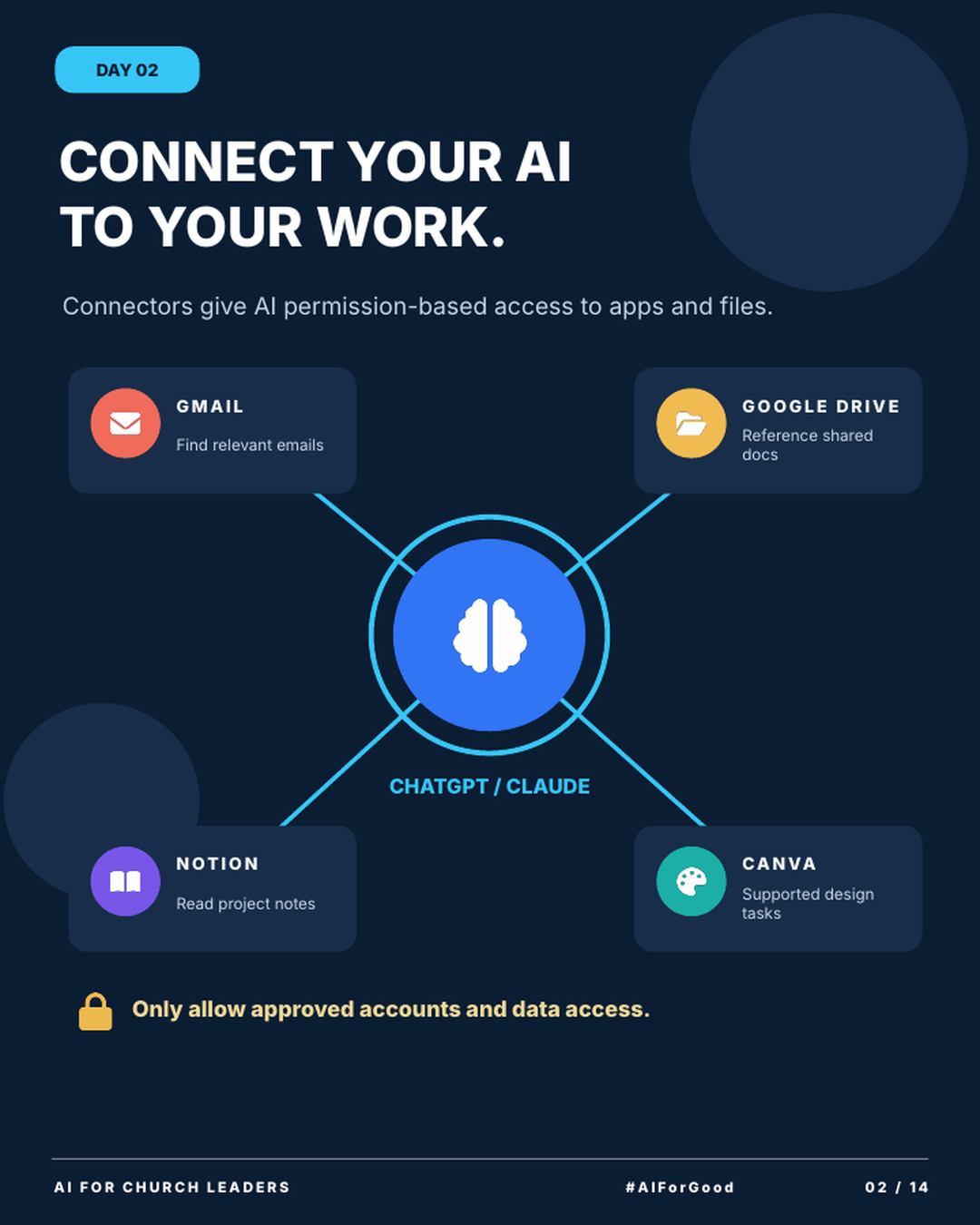
The infographic shows 4 common connections.
Gmail. AI can find relevant emails. You can ask it to find the messages about an upcoming event and list the open questions.
Google Drive. AI can reference shared docs. It can use your approved FAQ or staff handbook when it drafts something new.
Notion. AI can read project notes. If your team plans events in Notion, AI can use those notes to write a summary.
Canva. AI can help with supported design tasks. What counts as supported depends on the app and your plan.
Availability varies. OpenAI says, "App availability depends on the app, your ChatGPT plan, region, workspace, role, model, and the ChatGPT interface you use."
How do you set up connectors safely?
The infographic gives one rule: only allow approved accounts and data access. Approved means your church leaders have agreed which accounts and which information AI may use.
Start with your policy. In the Pushpay and Barna 2026 State of Church Technology report, "64% of leaders believe it is important for a church to have an AI use policy." The same report found "only 5% of churches currently have one in place." If your church has no policy yet, use this free framework to write a church AI policy.
Check who turns connectors on. On Claude Team and Enterprise plans, an admin must turn connectors on first. Anthropic notes that this step "doesn't automatically grant anyone access." Each person still signs in with their own account.
Read the permission screen. Before you approve a connection, look at what the app asks to see and do. Approve what your role needs for ministry work.
Protect sensitive information. Pastoral care notes, counseling records, health details and giving records need extra care. This post on the data privacy risk of staff AI use explains what to watch for.
Start with one app your team uses every day. Choose one with shared documents your whole staff can already see, like an event FAQ or a staff handbook. Add apps with private records later, after your policy covers them.
Connectors let AI use your church's real information. Connect only approved accounts, and start with one app your team uses every day.
Try this this week
Connect one approved app and test it with a simple question.
How to connect your first AI app
- Ask your lead pastor or admin which accounts are approved for AI use.
- Pick one app from the infographic, such as Google Drive.
- Open the settings in ChatGPT or Claude and find connected apps or connectors. The help articles linked above show the current steps.
- Sign in with your church account and read the permission screen before you approve.
- Ask one simple question about a document you know well. Check the answer against the document.
Join AIforChurchLeaders.com to access the training library and courses that help you level up your AI skills and fluency for ministry.
Frequently asked questions
Is it safe to connect ChatGPT or Claude to my church Gmail?
It can be, with the right setup. Use an approved church account and read the permission screen first. If your inbox has confidential care emails, ask your leaders before you connect it.
Do I need a paid plan to use AI connectors?
It depends on the tool and the app. OpenAI says availability depends on your plan, region, workspace, role, model and interface. On Claude Team and Enterprise plans, an admin must turn connectors on first. Check your tool's help page for your plan.
Can AI see every file in my Google Drive once I connect it?
Anthropic says Claude uses the permissions you already have in the connected service. You can only bring in content you have permission to view. If your account can open a file, plan as if the AI can reach it too. Connect an account with the access your role needs.
Will ChatGPT use my church's connected data to train its models?
OpenAI says that on Free, Plus, Go and Pro plans, it "may use information accessed from apps to train our models" if the "Improve the model for everyone" setting is on. OpenAI also says Business, Enterprise and Edu accounts are left out of this training by default. Check your plan and that setting before you connect church accounts.
Are ChatGPT connected apps the same as Claude connectors?
They do the same job. Both give AI permission-based access to other apps. ChatGPT uses the name connected apps, and Claude uses the name connectors.