
Church AI Policy: 7 Questions Every Policy Needs to Answer
Nov 06, 2026
Your church needs an AI policy. Your staff and volunteers may already use AI tools for emails, slides and planning. A policy tells them what is allowed.
You may not know what to put in one. A useful policy answers 7 clear questions. Each question asks your leaders to make one choice.
In the 2026 State of Church Technology report from Pushpay and Barna, "64% of leaders believe it is important for a church to have an AI use policy." The same report found "only 5% of churches currently have one in place." This guide helps you write yours.
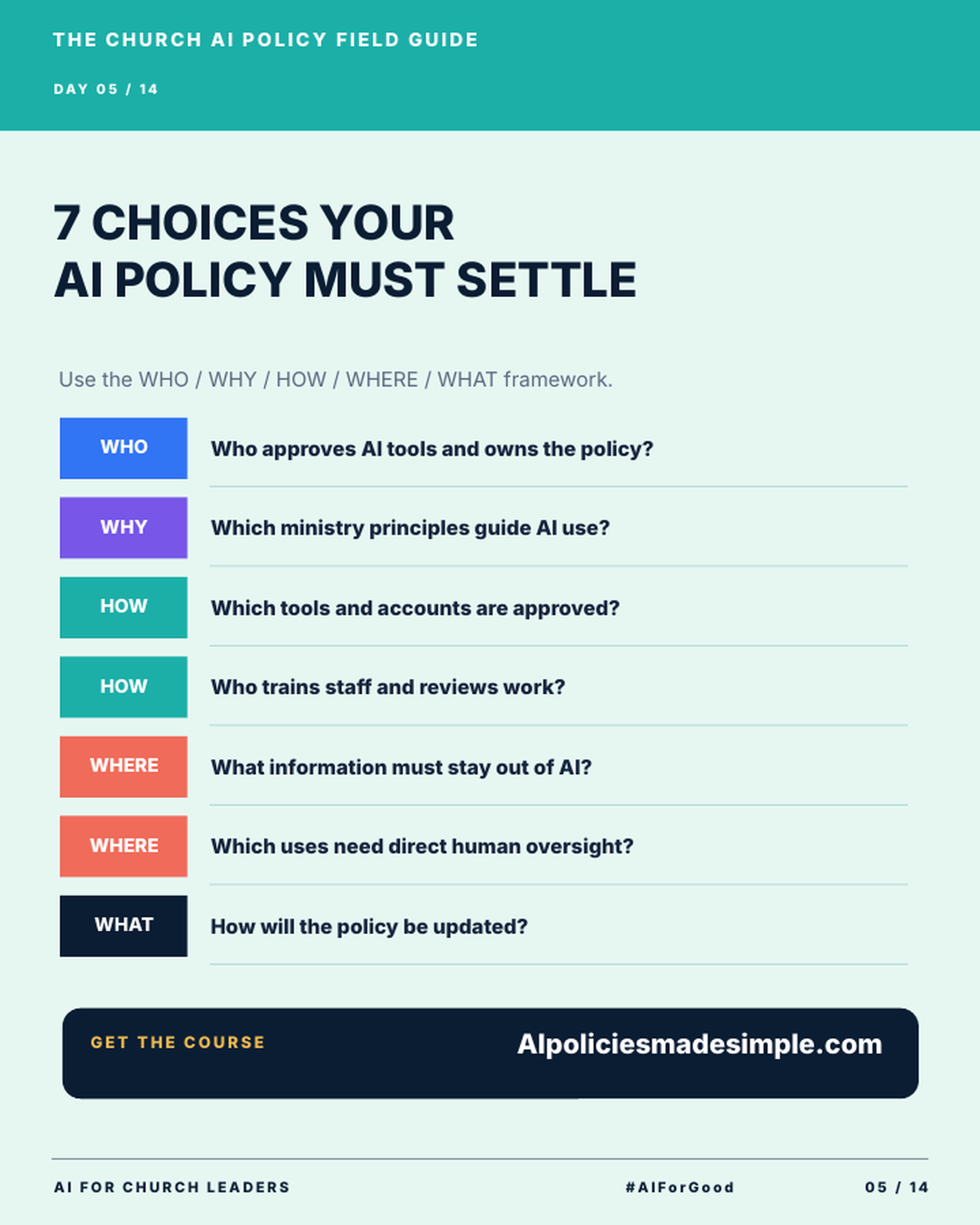
Who owns the policy, and what guides it?
The first two questions fall under WHO and WHY.
Who approves AI tools and owns the policy? Name one person or a small team. This owner answers staff questions and keeps the policy current. Write their role in the policy, so a new hire knows who to ask.
Which ministry principles guide AI use? Write 2 to 4 short statements your team believes about AI. For example: "A person checks every fact before we share it." Or: "We protect the private details people trust us with." These principles help staff decide what to do when the policy does not cover a new situation.
Which tools are approved, and who trains staff?
The next two questions fall under HOW.
Which tools and accounts are approved? List the AI tools your staff may use for church work. An AI tool is an app like ChatGPT or Claude that writes text and answers questions when you type to it. Also say which account to use. A login tied to a church email keeps the work with the church when someone leaves. One simple way to build this list is to sort your AI tools into green, yellow and red groups.
Who trains staff and reviews work? Name the person who shows staff how to use the approved tools. Then name who checks AI work before it goes out. A short training session and a clear review step help your team use AI with care.
What stays out of AI, and what needs a human?
These two questions fall under WHERE. They set your ethical boundaries.
What information must stay out of AI? Make a clear list. Your list might include prayer requests with names, counseling notes, giving records, member contact lists, details about children and passwords. Shape the list to fit your church.
Which uses need direct human oversight? Some work needs a person to read and approve it before anyone sees it. Good examples are anything public, anything pastoral, anything about money and anything about hiring. Write these uses down by name.
How will the policy stay current?
The last question falls under WHAT.
How will the policy be updated? AI tools change often. Pick a review date, such as every 6 months. Name who leads the review. Decide how staff will hear about changes, such as a staff meeting or an email.
If you want help working through these 5 areas, the AI Policies Made Simple course at AIpoliciesmadesimple.com uses the same WHO, WHY, HOW, WHERE and WHAT framework. Kenny Jahng teaches it. For a longer outline, see these 10 essential sections of a church AI policy.
Key terms to know
AI policy. An AI policy is a written set of rules for how your staff and volunteers use AI for church work.
AI tool. An AI tool is an app that can write, sum up or answer questions when you type or speak to it.
Approved tool list. This is the short list of AI tools your church allows for church work.
Sensitive information. This is any private detail about a person or the church that should stay private, such as a counseling note or a giving record.
Human oversight. Human oversight means a real person reads and approves AI work before it is used.
A church AI policy is 7 choices written in plain words. Once your leaders make each choice, your staff can follow it with confidence.
Try this this week
Set aside 30 minutes with one other leader and draft your answers.
- Copy the 7 questions into a blank document.
- Write a one-sentence answer under each question. A rough answer is fine.
- Highlight any question you cannot answer yet.
- Set a date to finish the highlighted answers.
- Share the draft with your senior leadership team for feedback.
Join AIforChurchLeaders.com to access the training library and courses that help you level up your AI skills and fluency for ministry.
Frequently asked questions
Does a small church need an AI policy?
Yes. If anyone on your team uses AI for church work, a policy helps. A small church can use a short policy. It still needs to answer the 7 questions.
How long should a church AI policy be?
Keep it short. It only needs to answer the 7 questions clearly. Your staff should be able to read the whole thing quickly. You can add detail later as your team learns.
Who should write our church AI policy?
Start with the person who will own it. Ask a senior pastor or executive pastor to join them. Then invite a few staff members who use AI each week to read the draft.
What information should church staff never put into AI?
Your leaders decide this list. It might include names tied to prayer or care needs, counseling notes, giving records and details about children. Write your list in the policy so no one has to guess.
How often should we update our church AI policy?
Pick a set review date, such as every 6 months. Also review it when your church adds a new AI tool. Tell your staff each time the policy changes.