
How Pastors Can Use AI to Prepare for Hard Conversations Safely
Nov 23, 2026
You face hard conversations in ministry. You may need to address a conflict on your staff, or ask a volunteer to step down from a role.
AI can help you prepare. It can help you think of questions you missed and people you forgot to consider.
To use it safely, keep people's private details out of it. This guide shows you how to build a safe practice scenario. Then it walks through 3 lenses you can ask AI to use.
What does it mean to use AI to prepare for a conversation?
An AI chatbot is an app like ChatGPT or Claude that writes a reply when you type a request. That request is called a prompt. You can describe a situation in general terms and ask the chatbot to help you think it through.
You still lead the real conversation. AI helps you plan your questions before you walk into the room. It can point out blind spots, which are things you might overlook.
This kind of preparation works best for everyday leadership and care conversations. Situations with any sign of risk need a qualified professional. More on that below.
How do you anonymize a scenario before you use AI?
To anonymize a scenario means to remove every detail that could identify a real person. Do this before you type anything into an AI tool.
Never include names or confidential care notes. Leave out ages, dates, addresses and the names of ministries or small groups. Leave out any detail that is rare enough to point to one person in your church.
Use general labels. Write "a longtime volunteer" or "a staff member with 2 years on the team." Describe the situation in a few plain sentences.
Never paste in emails, text messages, counseling notes or prayer requests. Your staff should follow this rule too. Pasting private details into AI tools creates a real data privacy risk for your church.
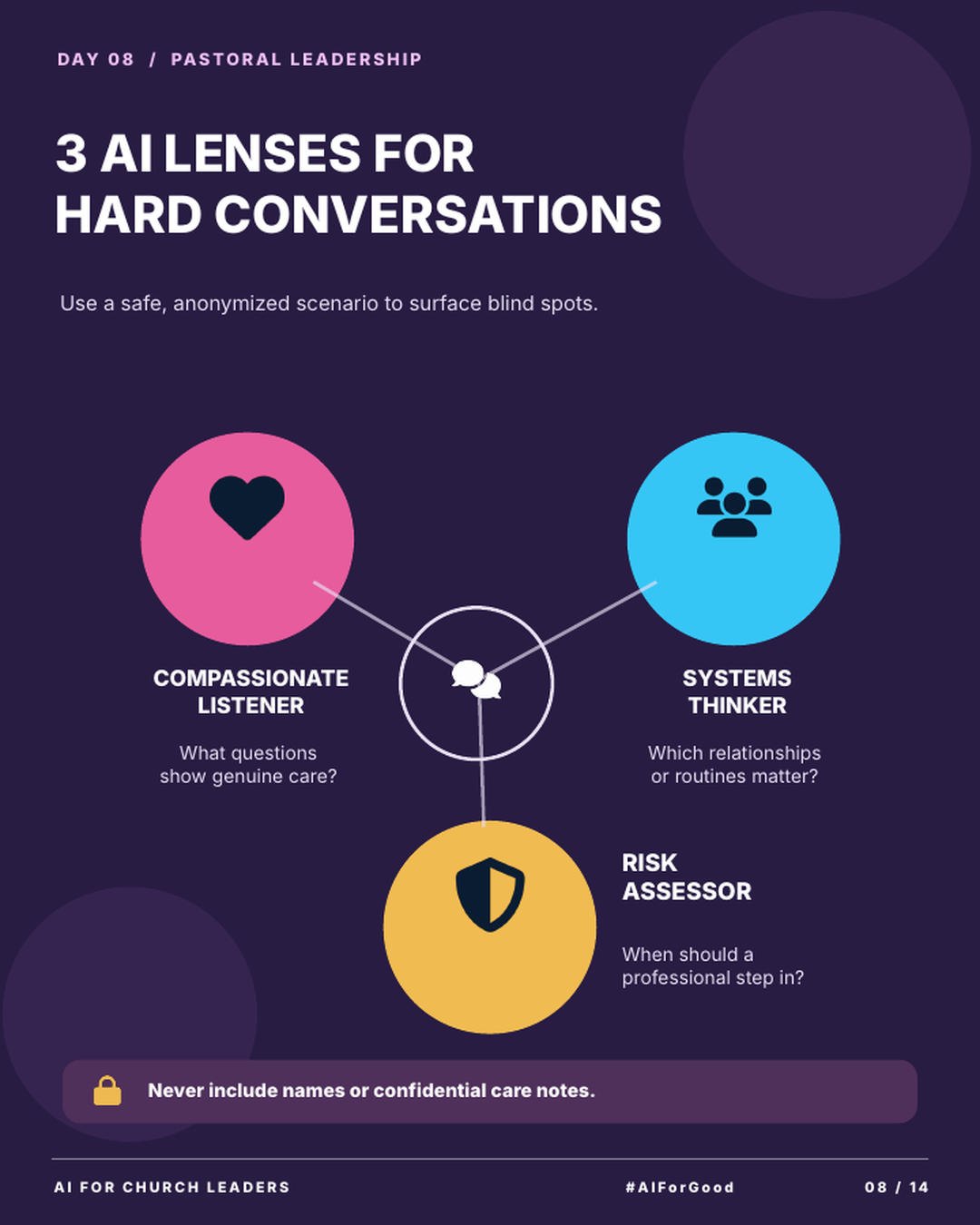
What are the 3 AI lenses for hard conversations?
A lens is a point of view you ask the AI tool to take. Each lens asks one question about your anonymized scenario.
Lens 1: Compassionate Listener
This lens asks: "What questions show genuine care?" Use it to plan how you will open the conversation and listen well.
Try a prompt like this: "Act as a compassionate listener. Here is an anonymized situation. Suggest 5 open questions that show genuine care."
Lens 2: Systems Thinker
This lens asks: "Which relationships or routines matter?" Use it to see who else the situation affects, such as a team, a family or a ministry schedule.
Try a prompt like this: "Act as a systems thinker. Which relationships or routines could this situation affect? What should I plan for after the conversation?"
Lens 3: Risk Assessor
This lens asks: "When should a professional step in?" Use it to list warning signs that mean a pastor should bring in someone with more training.
AI cannot assess a real person. Leave every clinical judgment to licensed professionals. If there is any risk of harm, abuse, self-harm or a legal issue, involve a qualified professional. That could be a licensed counselor, a doctor, an attorney or law enforcement. Follow your church's safety and reporting policies. If someone is in danger right now, call emergency services.
How should you use what AI gives you?
Read every suggestion with care. Keep the questions that fit your people and your church. Cut anything that feels off.
Write your final plan in your own words. Then pray about it. Have the conversation in person.
Your church AI policy should also say whether staff delete these chats when they are done.
Key terms to know
AI chatbot. An AI chatbot is an app you type or talk to, and it writes a reply in plain language.
Prompt. A prompt is the request or question you give an AI tool.
Anonymize. To anonymize means to remove names and any detail that could identify a real person.
Confidential care notes. These are private notes from counseling, pastoral care or prayer. They should never go into an AI tool.
Qualified professional. This is a trained and licensed person, such as a counselor, doctor or attorney, who can help when a situation involves risk.
Use AI only with a safe, anonymized scenario. Never include names or confidential care notes, and bring in a qualified professional whenever there is risk.
Try this this week
Think of one hard conversation you have coming up.
- Write the situation in 3 or 4 general sentences.
- Remove every name and identifying detail.
- Ask an AI tool to review it through the 3 lenses: Compassionate Listener, Systems Thinker and Risk Assessor.
- Pick the 3 best questions and write them in your own words.
- If the Risk Assessor lens raises any concern, talk with a qualified professional before you meet.
Join AIforChurchLeaders.com to access the training library and courses that help you level up your AI skills and fluency for ministry.
Frequently asked questions
Is it safe to use ChatGPT to prepare for a pastoral care conversation?
It can be when you use a fully anonymized scenario. Never include names or confidential care notes. Follow your church AI policy on what staff may type into AI tools.
What should I never type into AI about church members?
Never type names, contact details, counseling notes, prayer requests or private messages. Leave out any detail that could point to one person. Describe the situation in general terms only.
Can AI help me plan what to say in a conflict?
Yes. AI can suggest questions, help you think through who is affected and help you plan follow-up. You still lead the conversation and make the final choices.
When should a pastor bring in a professional?
Bring in a qualified professional any time there is a sign of risk. That includes risk of harm, abuse, self-harm or a legal issue. Your church policy and local law may also require you to report some situations.
Can AI replace pastoral counseling?
No. AI can help you prepare your own questions. Care for a real person comes from you, your church and qualified professionals when they are needed.