
Why AI Feels Overwhelming for Church Leaders and 6 Steps to Get Out of It
Nov 28, 2026
You open ChatGPT on Monday morning to write the volunteer email. A staff member texts you about a new AI app. Another AI webinar invite arrives in your inbox. By lunch you have 4 AI tabs open, and the email still isn’t written.
If that sounds like your week, you have company.
Barna surveyed 442 Protestant pastors in December 2025. Only 13% said they don’t use AI at all. Yet 71% described themselves as cautious about it, and 40% said they feel conflicted. Church leaders are using AI and feeling uneasy about it at the same time.
The same thing is happening outside the church. In a survey Henley Business School released in June 2026, 61% of the 2,900 UK workers surveyed said they feel overwhelmed keeping up with the pace of AI.
Overwhelm is a normal response to fast change. It is also fixable.
This guide names the 4 reasons AI feels overwhelming right now. Then it gives you 6 steps to get out of it, with a link to a deeper guide for each step. Start with the reasons. Once you can name what is happening to you, the steps will make more sense.
AI feels overwhelming for 4 reasons.
Reason 1: You have too many AI tools open at once.
There is always another AI tool to try, and each one promises to save you time. So you sign up for a chatbot, then an image tool, then a note taker, then a research app. Now you have 4 logins and 4 different ways to write a prompt.
Researchers from Boston Consulting Group studied this. They surveyed 1,488 full-time U.S. workers and published the results in Harvard Business Review in March 2026. Workers who went from one AI tool to two saw a significant jump in productivity. A third tool added a smaller gain. Past 3 tools, productivity dropped.
The researchers also gave the strain a name. They call it “AI brain fry,” and 14% of the workers surveyed reported it. People described mental fog, trouble focusing, slower decisions, and headaches.
If your phone has 5 AI apps on it, this is the first thing to fix.
Reason 2: You picked a tool before you picked a task.
The AI advice you see online usually starts with a tool, like a new app to try or a new model to test. So you open a blank chat box and stare at the cursor, because you never decided what job the tool was for.
Barna’s research shows where your hours go. Organizing events, managing volunteers and staff, and administrative work take up the biggest share of a pastor’s calendar. Pastors also rank those same tasks low on what they find fulfilling.
That list is where AI can help you first. When you start with one of those tasks, the tool has a clear job to do.
Reason 3: You are learning alone with nobody to ask.
If you are the person on staff who “gets tech,” you probably have nobody to ask when AI gives you a strange answer. So you guess, and when the guess fails, you close the tab and decide AI isn’t worth your time.
Support makes a measurable difference. In the BCG study, workers whose managers took time to answer their AI questions had 15% lower mental fatigue scores.
Reason 4: AI touches your calling, so every choice feels spiritual.
For a pastor, AI questions quickly become questions about your calling. Barna found that 79% of pastors worry about AI becoming a replacement for God. And 63% worry about AI replacing the role of pastors or spiritual leaders.
Those concerns deserve careful thought. They can also make a small decision feel huge. Using AI to draft a volunteer reminder is a different decision from using AI in your preaching.
So sort your AI questions into two groups: admin tasks and teaching tasks. Make the admin decisions quickly, and give the teaching decisions more time. If the sermon question is the one on your mind, read Is It Wrong for a Pastor to Use AI to Write a Sermon?
Each of these 4 reasons has a practical fix. The 6 steps below work best in order.
Here are 6 steps to get out of AI overwhelm.
Step 1: Find your stage before you add anything new.
A lot of overwhelm comes from trying stage 5 work while you are still at stage 1. You watch a demo of an AI agent running a whole workflow, and you still can’t get a good email out of a chatbot. Of course that feels discouraging.
The 5 Stages of AI Fluency gives you a map:
- Vocabulary. You and your team share a basic understanding of AI terms.
- Prompting. You make clear requests that state the goal, the audience, and an example of a good result.
- Context. You give AI your church’s mission, writing style, and approved past messages.
- Connection. You link approved apps so AI can work from real documents.
- Automation. AI handles part of a recurring task, and a person reviews every result.
Pick the stage that fits you today and write it down. Your stage tells you what to ignore for now. If you are at Vocabulary or Prompting, skip anything about agents and automation until your prompts work. The 101 AI Terms glossary will help you through stage 1.
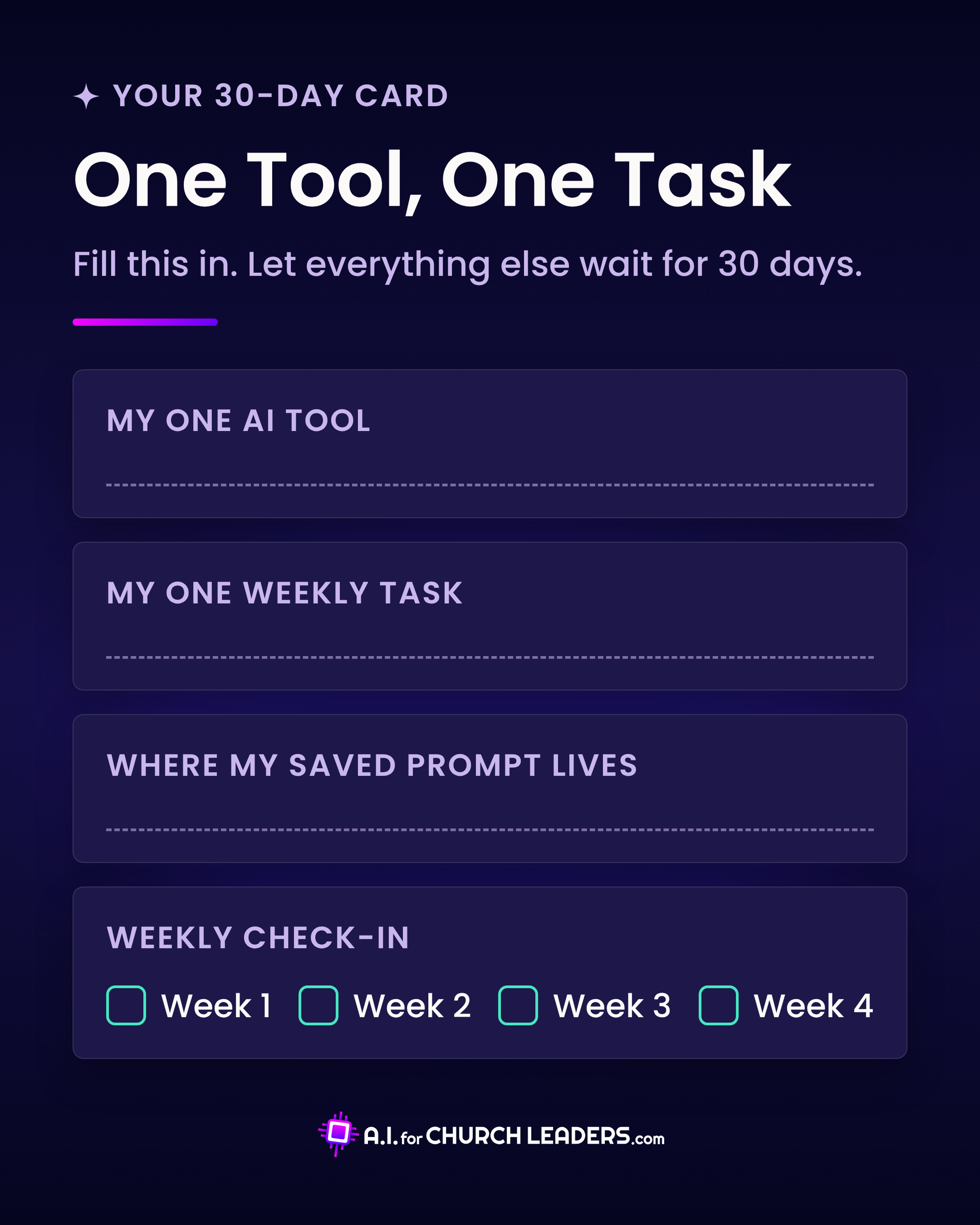
Step 2: Pick one tool and close the rest for 30 days.
Choose one: ChatGPT, Claude, or Gemini. Use it every workday for 30 days before you judge it.
If you can’t decide, use the rule of thumb from our ChatGPT, Claude, and Gemini comparison guide. ChatGPT is the easiest place to start. Claude is strong for writing and long documents. Gemini makes sense if your church already runs on Google Workspace.
Then close the rest. Log out of the free trials. Take the extra AI apps off your phone’s home screen. Unsubscribe from every AI newsletter except one written for ministry leaders.
The BCG data backs this up, since productivity dropped once workers passed 3 tools. Give one tool your full attention for a month.
Step 3: Pick one weekly task you already dread.
Open your calendar and look back at the last 4 weeks. Find one task that repeats every week and drains your energy.
Good first tasks include the volunteer reminder email, the staff meeting agenda, bulletin announcements, and the recap of a church event. Pick one and write it on your card next to your tool. That pair is your whole AI plan for the next 30 days.
Starting with routine work also helps with stress. In the BCG study, workers who used AI to take over routine, repetitive tasks had 15% lower burnout scores.
For a day-by-day version of this step, read Where Do I Even Start With AI? A First-Week Plan for Pastors. For task ideas sorted by ministry area, see 17 Practical Ways Churches Are Using AI Right Now.
Step 4: Write one strong prompt and save it.
A one-line prompt gives AI almost nothing to work with. So it fills in the blanks with generic church language, and you end up rewriting the whole draft yourself.
The F.A.S.T.E.R. framework fixes that. It has 6 parts, and each part gives AI one piece of information it would otherwise have to guess. Write one F.A.S.T.E.R. prompt for the task you picked in Step 3.
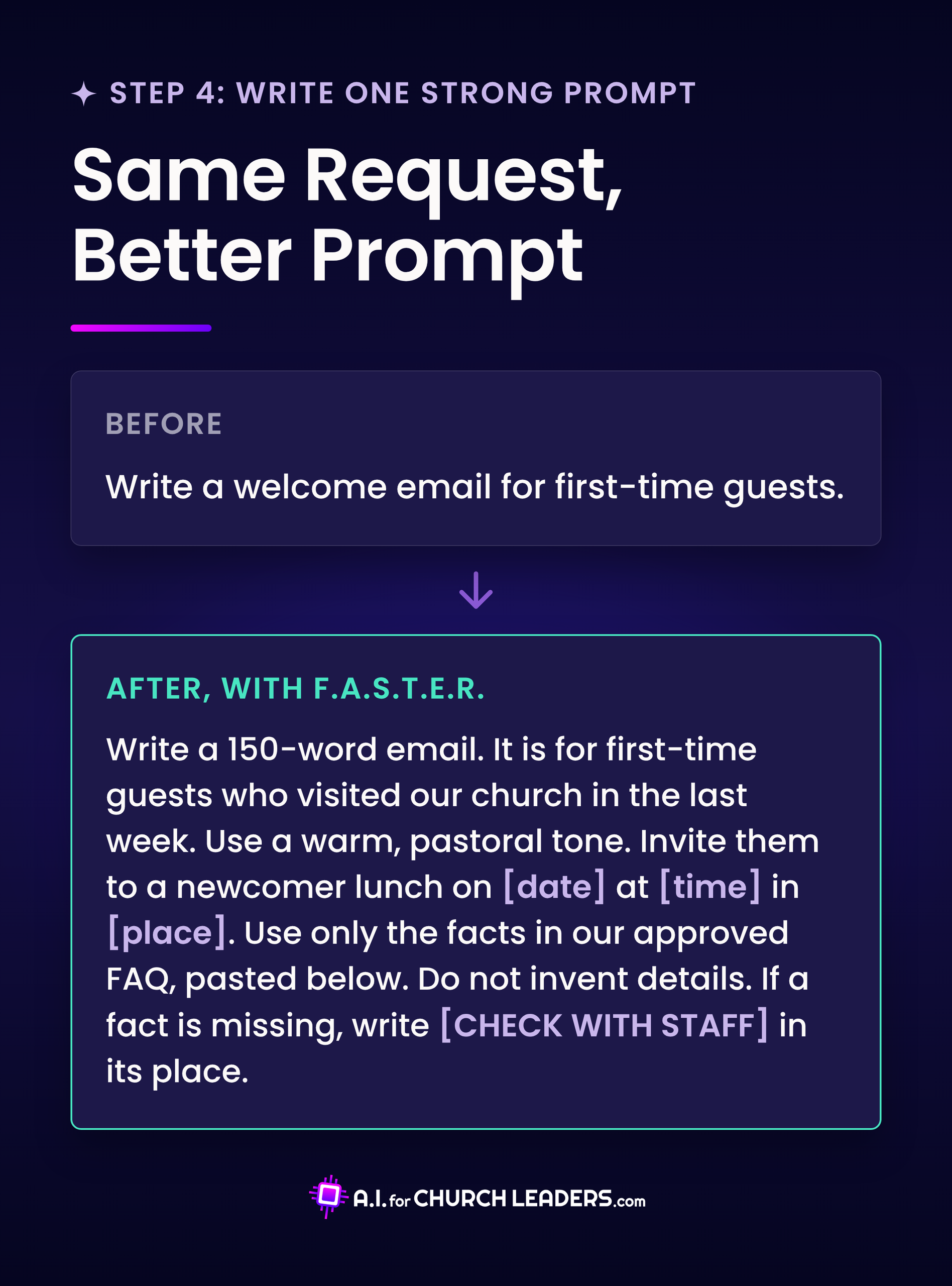
Here is the same guest welcome request written two ways.
Before: Write a welcome email for first-time guests.
After: Write a 150-word email. It is for first-time guests who visited our church in the last week. Use a warm, pastoral tone. Invite them to a newcomer lunch on [date] at [time] in [place]. Use only the facts in our approved FAQ, pasted below. Do not invent details. If a fact is missing, write [CHECK WITH STAFF] in its place.
Run your prompt, fix what came back wrong, and run it again. When the result is close to what you would actually send, save the prompt. Keep it in a pinned note, a shared staff doc, or inside your AI tool’s project. Next week you paste it in, update the details, and you are most of the way there.
Step 5: Teach the tool your context one time.
Starting every chat from zero wears you out. You retype who your church is, who you serve, and how you talk, every single time.
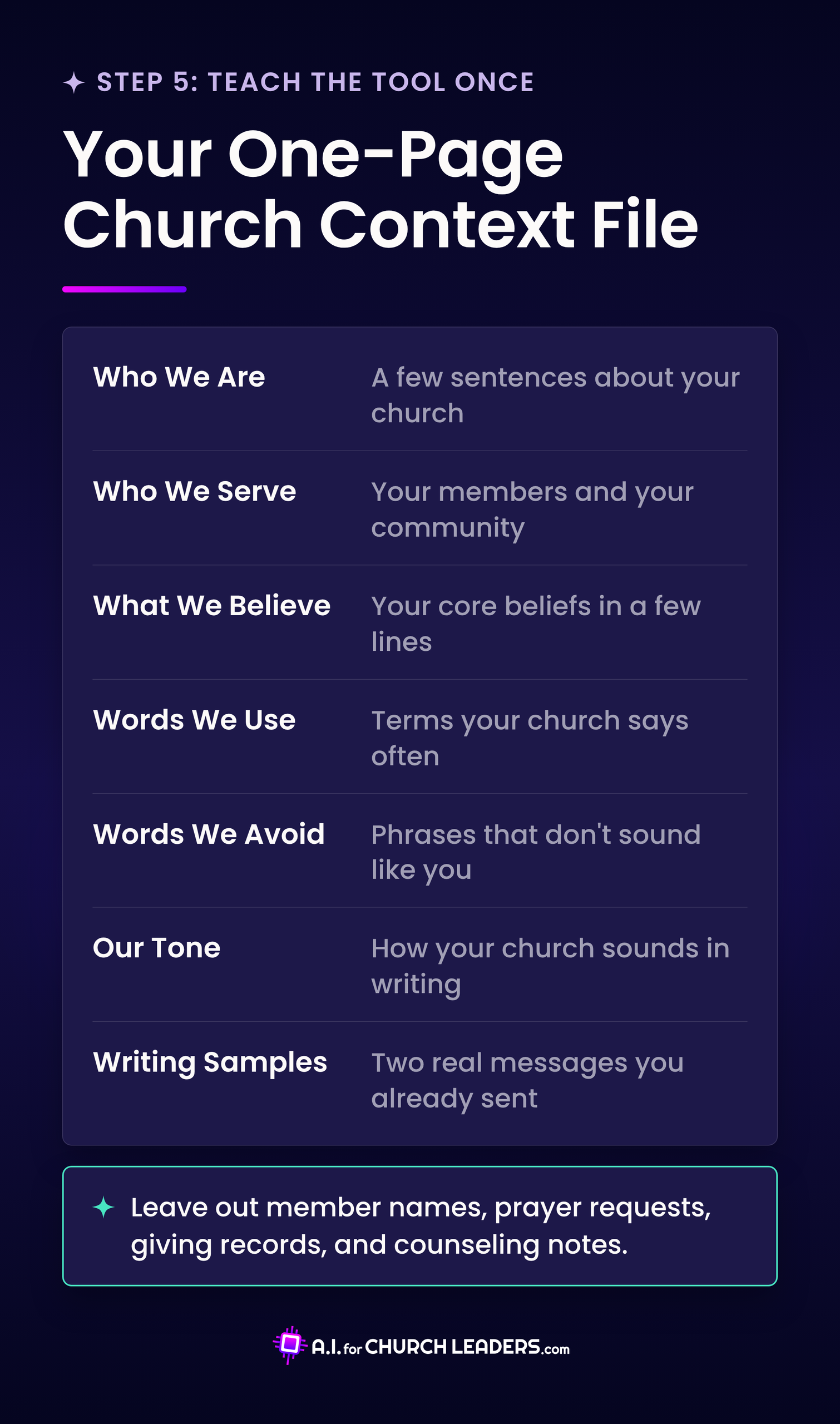
Write a one-page context file instead. Include a short description of your church, the people you serve, your core beliefs in a few lines, words you use, words you avoid, your tone, and two samples of writing your church has already sent. Leave out anything private, like member names, prayer requests, giving records, or counseling notes.
Then save it once inside your tool:
- In ChatGPT, create a project and add the page as project instructions in its project settings.
- In Claude, create a project and paste the page into Set project instructions. Free Claude accounts can create up to 5 projects.
- In Gemini, create a Gem and paste the page into its instructions.
Now every chat in that project or Gem starts with your church’s context already included. For a full walkthrough of the one-page file, read How to Make ChatGPT Sound Like Your Church. If you use Claude, How to Stop Starting Every Claude Chat From Zero covers memory, projects, and chat search.
Step 6: Find a small group to learn with.
Remember Reason 3. When you learn alone, nobody answers your questions. A small group gives you people to ask.
Find 3 or 4 people in ministry who are also learning AI. A staff member, a pastor friend across town, and a church communicator from your network make a good mix. Meet for 30 minutes every two weeks. Each person brings one prompt to share and one question to ask.
To see why this works, read Why You Can’t Learn AI Alone: The Case for a Ministry AI Cohort. To start your own group, read How To Find Your AI Learning Community As A Ministry Leader.
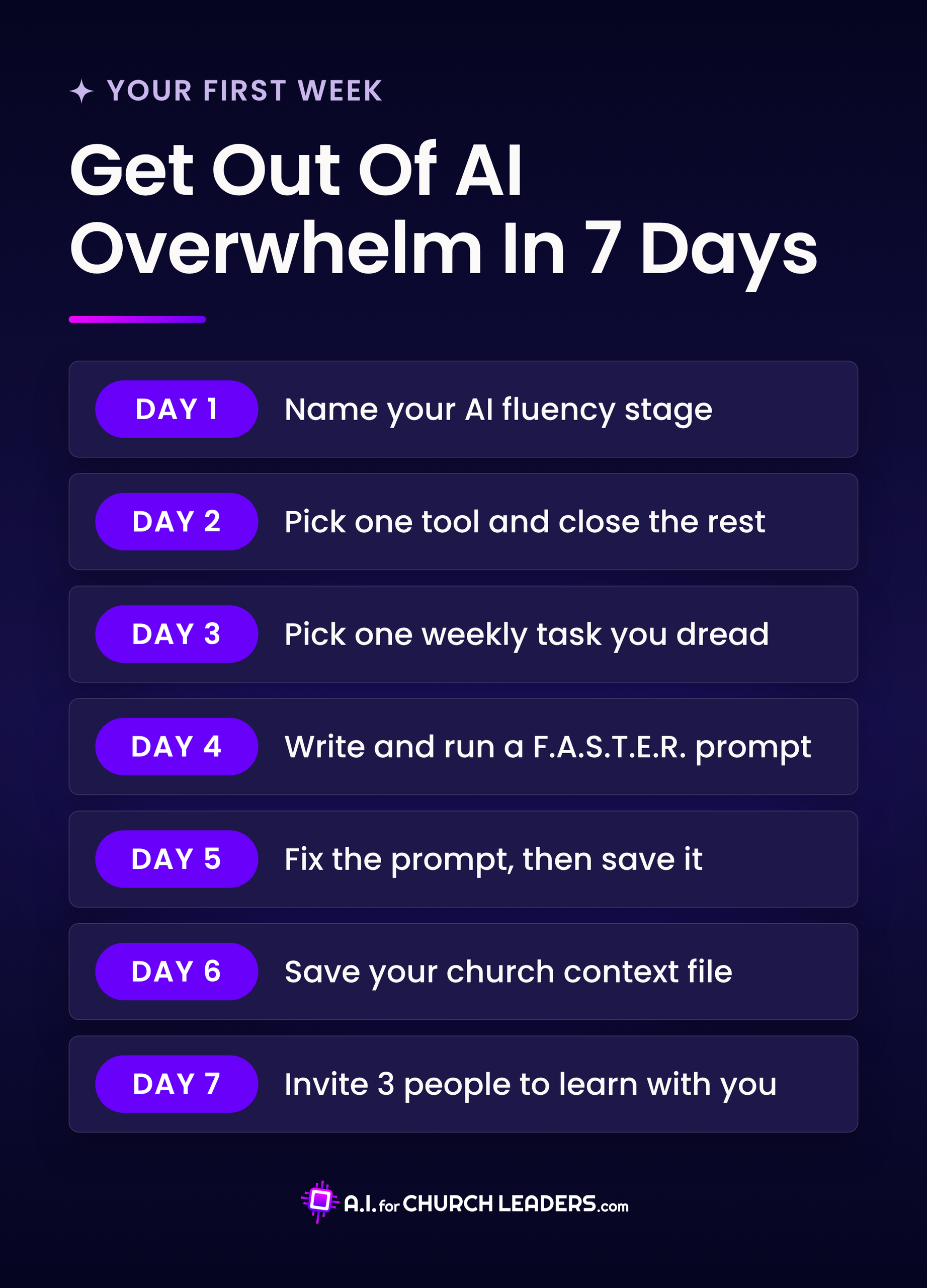
Here is your plan for the first 7 days.
- Day 1: Read The 5 Stages of AI Fluency and name your stage.
- Day 2: Pick your one tool and log out of the rest.
- Day 3: Pick the one weekly task you dread most.
- Day 4: Write a F.A.S.T.E.R. prompt for that task and run it.
- Day 5: Fix the prompt based on what came back, then save it.
- Day 6: Write your one-page context file and save it in your tool.
- Day 7: Text 3 people and invite them to learn AI with you.
After day 7, keep the same tool and the same task for the rest of your 30 days. When that task feels easy, add a second one. When you are ready for a bigger plan, The Church Leader’s 90-Day AI Roadmap takes you through 3 phases: Learn, Apply, and Lead.
AI overwhelm is common, and you can start getting out of it this week. Begin with one tool and one task, and let everything else wait.
If ChatGPT is your one tool, start with the ChatGPT For Churches course. It is a self-paced course for pastors and church staff who are new to ChatGPT, with over-the-shoulder video demos from church practitioners.